Coming soon to the Mac App Store
Posteingang
A stack of mail in. Individual, named PDFs out. With an AI that runs entirely on your Mac.
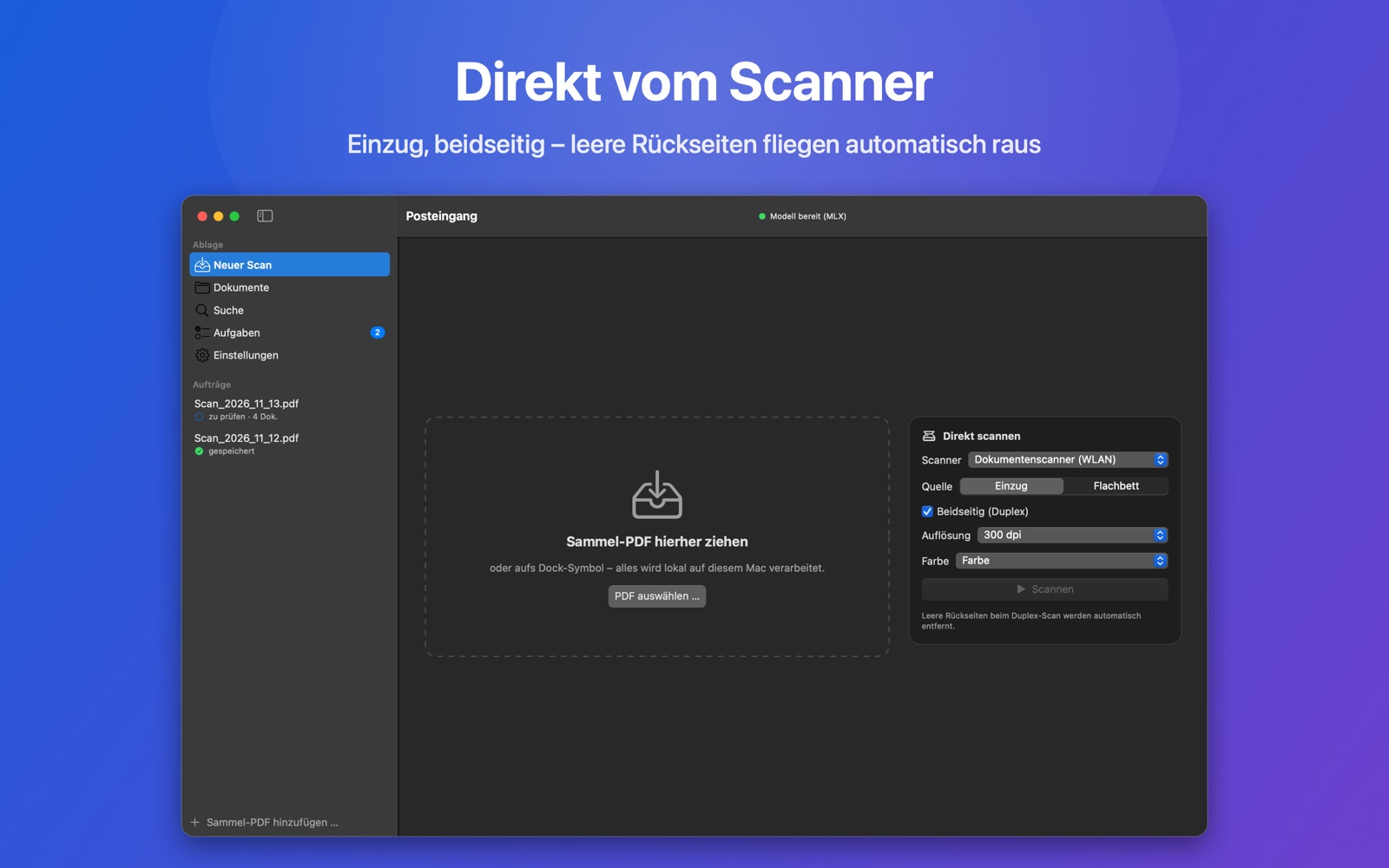
From a pile of paper to a tidy archive
Scan, check briefly, save. The app takes care of the rest.
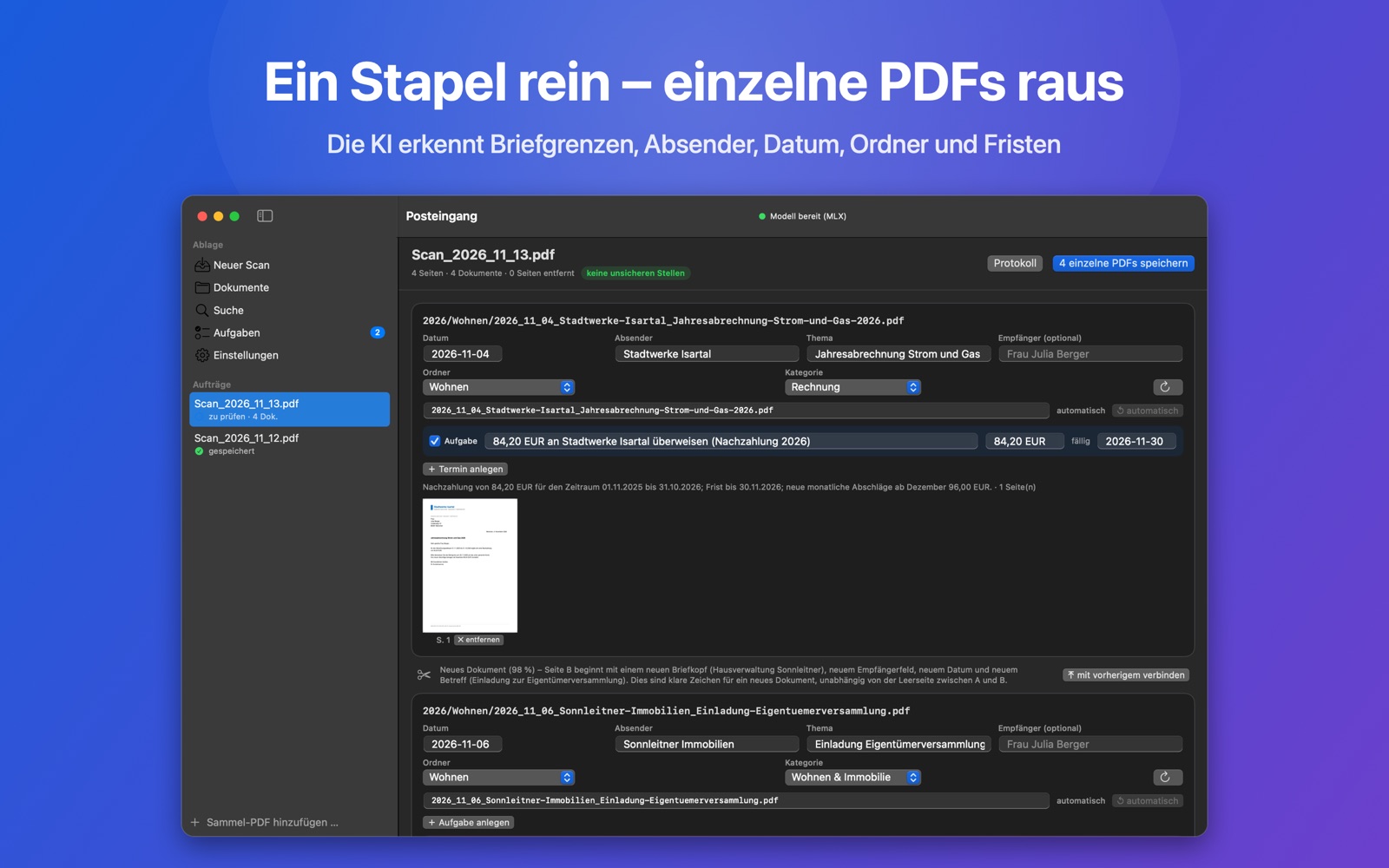
- Scan or drop inScan straight from the app. Feeder or flatbed, double-sided. Or drop a combined PDF onto the window. Blank backs are removed.
- Splits letters automaticallyDetects where one letter ends and the next begins. No separator sheets. Uncertain spots are flagged.
- Names and sortsReads date, sender and subject, suggests names like 2026_11_03_Stadtwerke_Jahresabrechnung.pdf and picks the right folder.
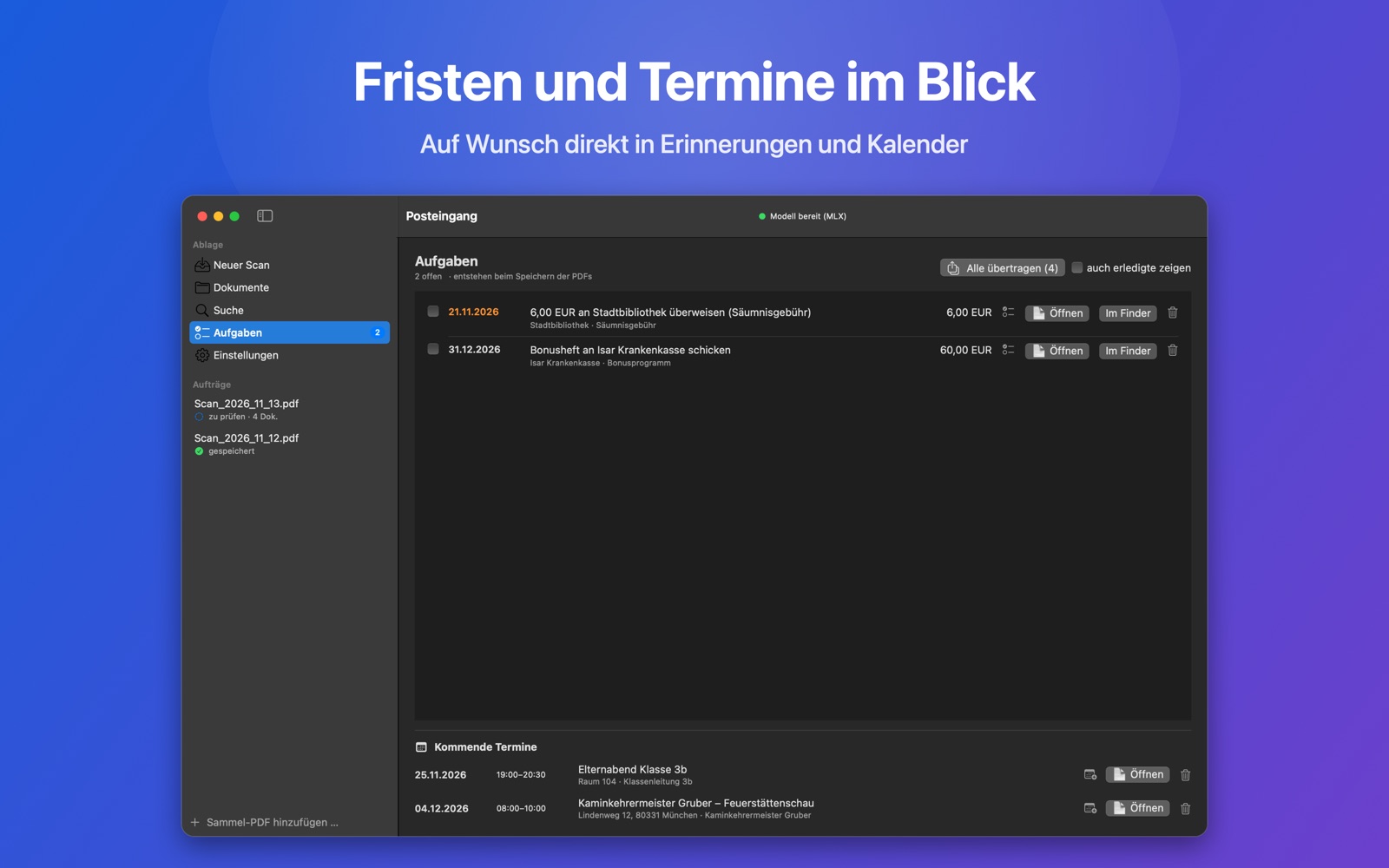
- Finds tasks & dates“Transfer €84.20 by 30 Nov”, “Chimney sweep comes on 4 Dec”. Straight into Reminders and Calendar if you like.
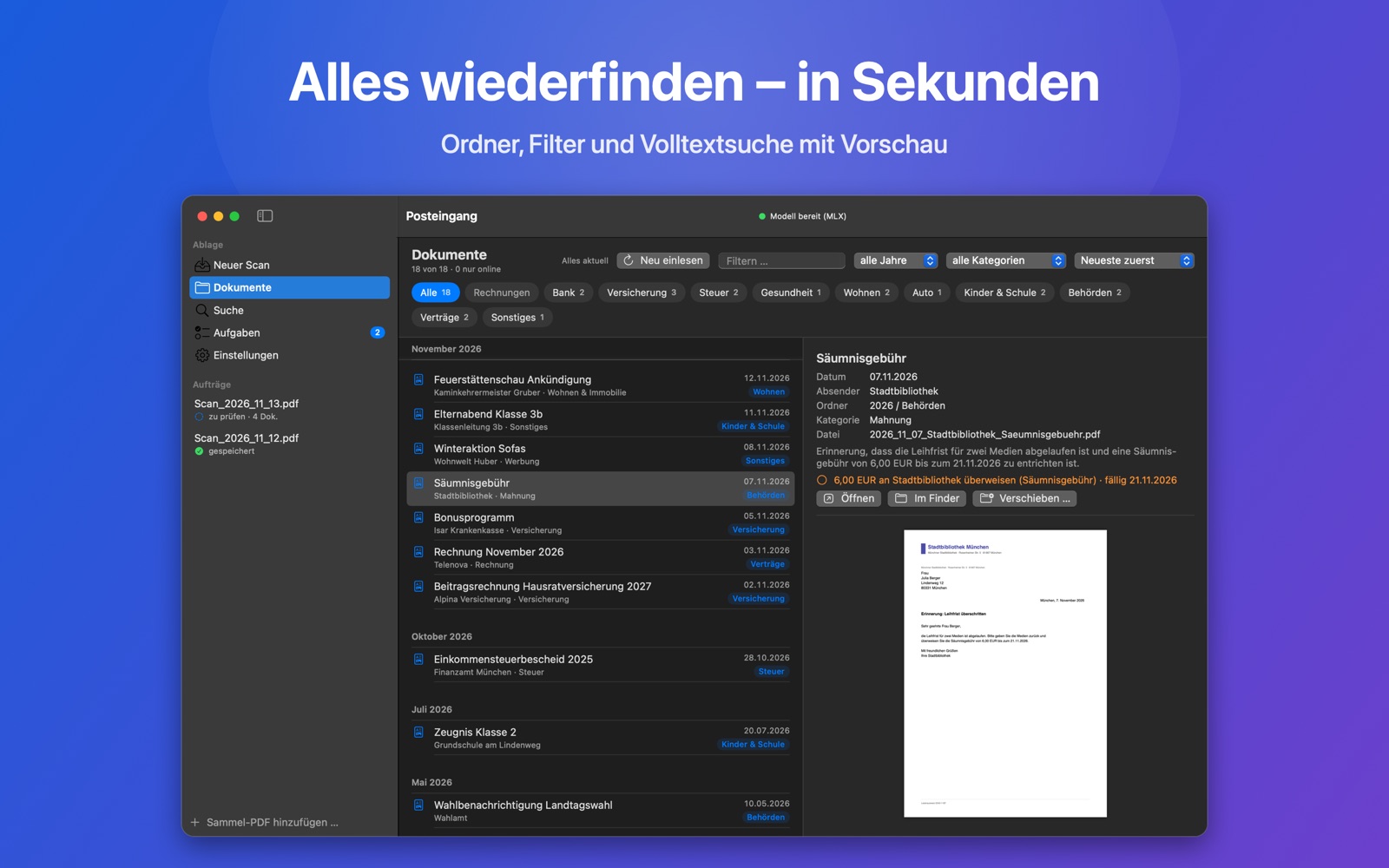
- Find everything againFiled by year and folder. In Documents, iCloud Drive or Dropbox. Full-text search with preview.
- Five languagesInterface and letters in German, English, French, Spanish and Italian.
Your mail is nobody else’s business.
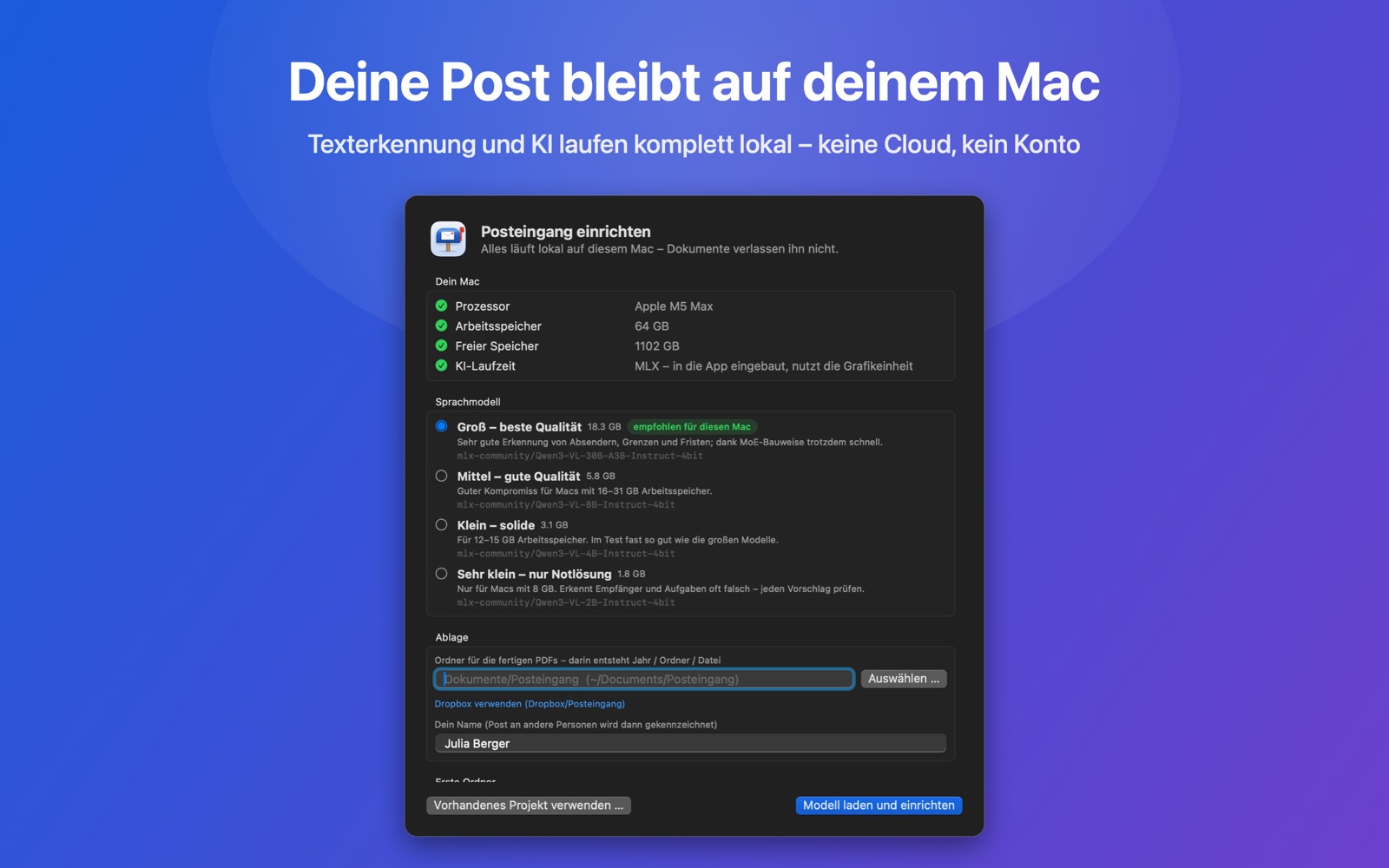
Text recognition and AI run right on your Mac. With Apple Vision and Apple’s MLX. Your letters are not uploaded anywhere. Not even to me.
- No cloud AI
- No account, no sign-in
- No tracking, no ads
- Your data lives in your own folders
Requirements
The language model is downloaded once during setup. The app picks the right size for your Mac.
- Mac
- Apple silicon (M1 or later)
- System
- macOS 15 Sequoia or later
- Memory
- 16 GB recommended, 32 GB for best quality
- Storage
- 2 to 19 GB for the language model
Questions & support
Something not working, or got an idea? Write to me: posteingang@schempi.de
Which scanners work?
Any scanner macOS recognises without extra software (AirScan/eSCL, via Wi-Fi or USB). That covers most current devices from Brother, Canon, Epson, HP and others. Alternatively, drop a finished combined PDF into the app.
Are my documents sent anywhere?
No. Text recognition and AI run locally. The only internet connection is the one-time download of the language model from Hugging Face. No documents are transferred. Details in the privacy policy.
Can I keep my archive in iCloud Drive or Dropbox?
Yes. You choose the folder yourself. The app also backs up its settings and search index there every day, so everything is back in one step on a new Mac.
What if the AI gets it wrong?
Before saving, you see everything in the review view: split or merge letters, move pages, change any field. Only then is anything filed.
Why is the first start so large?
The language model is the app’s “brain” and runs on your Mac instead of a server. Depending on memory, that is 2 to 19 GB. Once.